
The graphic design landscape has been revolutionized by artificial intelligence, transforming how creators approach visual content creation. Among the leading AI-powered design platforms, Canva Magic Studio, Adobe Express with Firefly, and Crello (now VistaCreate) stand out as comprehensive solutions that democratize professional design capabilities. These platforms leverage sophisticated AI technologies to automate complex design tasks, generate creative content, and streamline workflows for users ranging from complete beginners to seasoned professionals.
The AI design tool market has experienced explosive growth, with Canva’s Magic Studio features being used over 16 billion times since their launch1. Adobe Express has integrated its powerful Firefly generative AI directly into workflows, while VistaCreate continues to evolve its AI capabilities to compete with industry leaders. Understanding the strengths, limitations, and unique features of each platform is crucial for selecting the right tool for your specific design needs and budget.
Canva Magic Studio: The All-in-One AI Design Powerhouse
Comprehensive AI Feature Suite
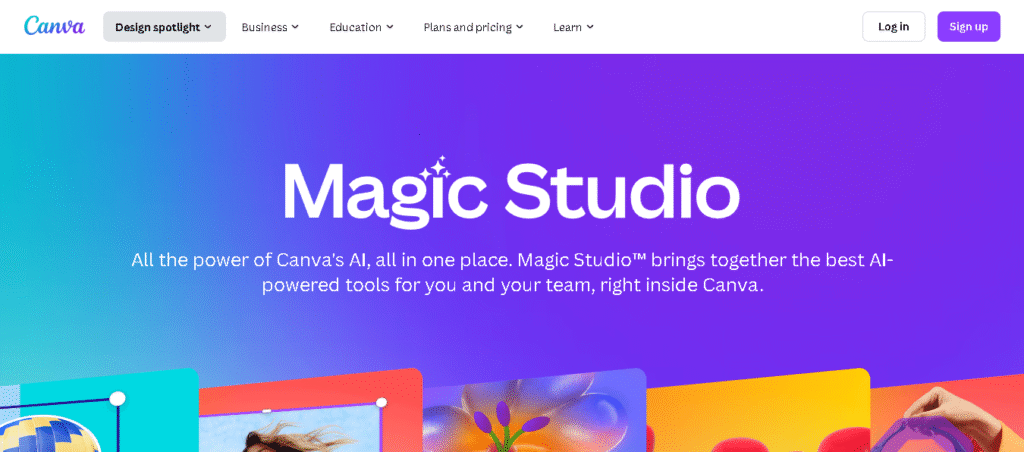
Canva Magic Studio represents one of the most extensive AI-powered design suites available, integrating multiple AI capabilities into a unified platform. The Magic Studio ecosystem includes Magic Design for generating personalized templates from text prompts, Magic Write for AI-powered content creation, and Magic Edit for seamless image modifications. Advanced features like Magic Switch can convert designs between formats while maintaining design integrity across different layouts and languages.
The platform’s Magic Media functionality enables users to generate images, videos, and audio content from simple text descriptions, while Magic Animate brings static designs to life with automated animation effects. The recently introduced Canva AI serves as a conversational creative partner, providing design suggestions and automating complex workflows through natural language interactions.
Accessibility and User Experience
Canva Magic Studio excels in user accessibility, featuring an intuitive drag-and-drop interface that requires no design experience. The platform’s strength lies in its ability to make professional design capabilities available to everyone, from entrepreneurs to educators. With over 125 million monthly users, Canva has established itself as the democratic design solution that balances ease of use with powerful functionality.
The Magic Write feature supports multiple languages including English, Spanish, French, Portuguese, and Indonesian, making it accessible to global users. However, the tool currently has usage limitations, with free users receiving 25 total queries and paid subscribers getting up to 250 uses per month. This limitation reflects the computational costs associated with AI-powered features while still providing meaningful access to advanced capabilities.
Pricing and Value Proposition
Canva operates on a freemium model with Magic Studio tools available across different subscription tiers. The free plan provides access to basic AI features with limitations, while Canva Pro ($15/month or $120/year) offers enhanced AI capabilities with higher usage limits. Canva for Teams starts at $10/user/month for groups of three or more, providing collaborative features alongside AI tools.
The platform’s pricing strategy reflects significant value, especially considering the breadth of AI features included. Users gain access to over 100 million premium assets, advanced Brand Kit tools, and unlimited cloud storage with paid plans. The integration of AI capabilities into existing workflows makes Canva an efficient solution for businesses requiring consistent, high-quality visual content.
Adobe Express with Firefly: Professional-Grade AI Integration
Advanced Generative AI Capabilities
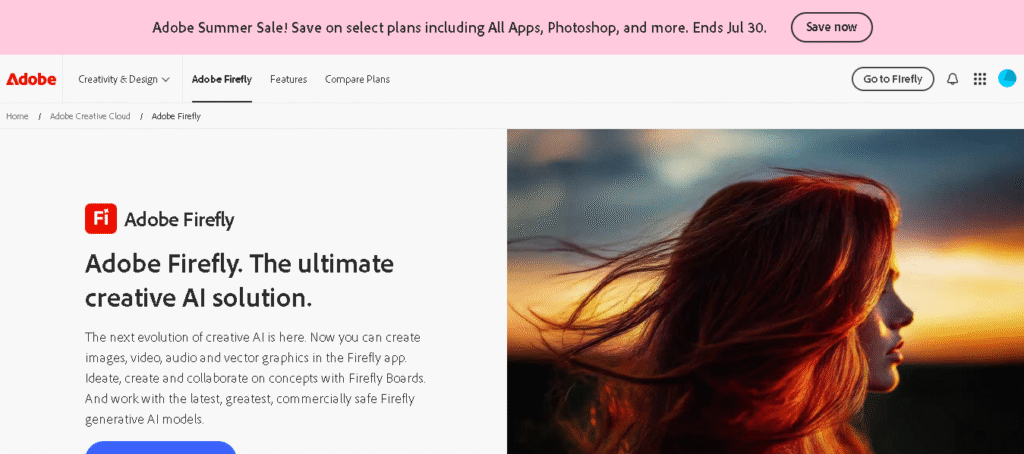
Adobe Express leverages the power of Adobe Firefly, a generative AI system specifically designed for commercial safety and professional use. The platform’s Text to Template feature generates fully editable templates from simple text descriptions, creating professional-quality social posts, posters, and digital cards in seconds. This capability represents a significant advancement in AI-assisted design, combining natural language processing with sophisticated design algorithms.
Generative Fill functionality allows users to insert, remove, or replace objects in images using text descriptions, powered by Firefly’s advanced image processing capabilities. The platform also includes Text Effects that apply photographic elements to typography and Translate features supporting 45 languages for content localization. These tools integrate seamlessly with Adobe’s broader Creative Cloud ecosystem, providing professional designers with familiar workflows enhanced by AI capabilities.
Commercial Safety and Enterprise Features
Adobe Express distinguishes itself through its emphasis on commercial safety and enterprise-grade features. Adobe Firefly is trained exclusively on Adobe Stock images, openly licensed content, and public domain materials, ensuring generated content is safe for commercial use without copyright concerns. This approach addresses a critical concern for businesses requiring legally secure AI-generated content.
Enterprise users benefit from advanced security features including user directory sync, encryption key support, and IP indemnification for select Firefly-generated images. The platform provides 24/7 technical support, dedicated customer success managers, and admin console features for large organizations. These enterprise capabilities position Adobe Express as a professional solution suitable for mission-critical design workflows.
Pricing Structure and Accessibility
Adobe Express operates on a tiered pricing model designed to accommodate different user needs. The free plan includes basic editing tools, access to 100,000+ templates, and limited generative AI credits. Premium plans start at $9.99/month for individuals, providing 250 generative credits per month and access to premium templates and assets.
Teams plans begin at $9.99/user/month with enhanced collaboration features and administrative controls. Despite offering fewer free AI features compared to competitors, Adobe Express provides exceptional value for users requiring professional-grade tools with commercial safety guarantees. The platform’s integration with Adobe Creative Cloud makes it particularly valuable for organizations already invested in the Adobe ecosystem.
Crello (VistaCreate): Budget-Friendly AI Design Solution
Core AI Features and Capabilities
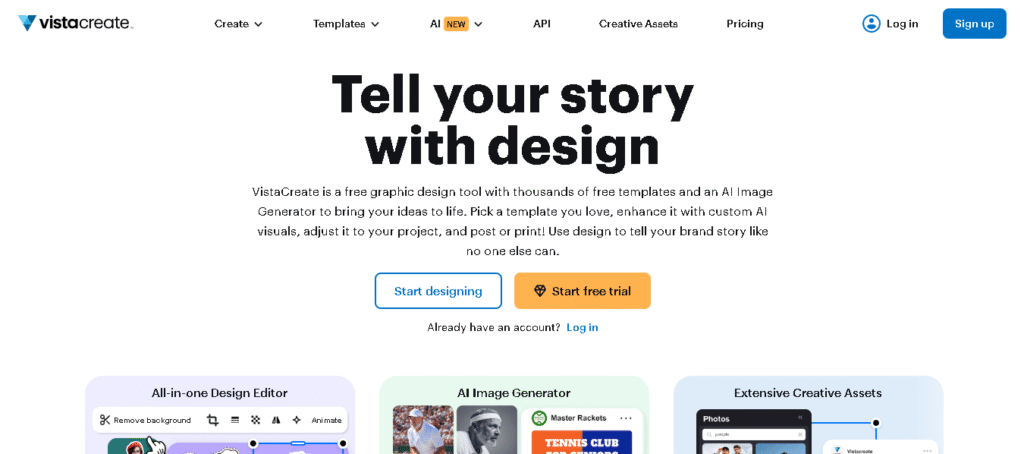
VistaCreate, formerly known as Crello, offers a more limited but focused set of AI-powered design features compared to its competitors16. The platform provides access to over 150,000 professionally designed templates and a library of 70+ million photos, videos, and design elements. While VistaCreate lacks the extensive AI feature set of Canva or Adobe Express, it compensates with generous free plan offerings and competitive pricing.
The platform’s AI capabilities include background removal tools, basic animation features, and template customization algorithms. VistaCreate’s Sticker Maker and automated resizing features demonstrate AI integration, though these capabilities remain more basic compared to the advanced generative AI found in competing platforms. The focus remains on providing accessible design tools rather than cutting-edge AI innovation.
User Experience and Interface Design
VistaCreate maintains a clean, intuitive interface similar to Canva, with drag-and-drop functionality and organized asset libraries. The platform particularly excels in animation capabilities, offering basic motion graphics and animated social media content creation tools that work well for users focused on dynamic content. This strength makes VistaCreate appealing for social media managers and content creators requiring animated graphics.
However, VistaCreate faces significant limitations in search functionality and asset variety compared to competitors. User reviews highlight inadequate search capabilities, with the platform struggling to surface relevant graphics even for basic queries. The limited AI feature set also means users seeking advanced capabilities like AI-generated content or sophisticated image editing may find the platform insufficient for their needs.
Pricing and Market Position
VistaCreate positions itself as a budget-friendly alternative with competitive pricing and generous free plan features. The free plan provides access to thousands of templates, basic design elements, and fundamental editing tools without the AI limitations found in other platforms. Pro plans start at $9.99/month, offering expanded asset libraries and premium features at a lower cost than major competitors.
The platform’s pricing strategy targets price-sensitive users and small businesses requiring basic design capabilities without advanced AI features. While this approach provides excellent value for budget-conscious users, it also limits VistaCreate’s appeal for organizations requiring sophisticated AI-powered design automation or advanced content generation capabilities.
Feature Comparison and Performance Analysis
AI Content Generation Capabilities
The most significant differentiation between these platforms lies in their AI content generation capabilities. Canva Magic Studio leads with comprehensive generative AI features including text-to-image creation, AI writing assistance, and conversational design support. The platform’s Magic Design can generate complete design layouts from simple prompts, while Magic Write provides copywriting assistance across multiple content types.
Adobe Express offers professional-grade generative AI through Firefly integration, with particular strength in Text to Template generation and Generative Fill capabilities. The platform’s commercial safety focus and integration with professional Creative Cloud workflows make it ideal for enterprise users requiring legally secure AI-generated content.
VistaCreate provides basic AI features including background removal and template customization, but lacks the advanced generative capabilities found in competing platforms. This limitation positions VistaCreate as a traditional design tool with minimal AI enhancement rather than an AI-first design solution.
Template Libraries and Asset Quality
All three platforms provide extensive template libraries, though with different strengths and limitations. Canva offers the most comprehensive selection with over 100,000 templates covering diverse categories and use cases. The platform’s template quality remains consistently high, with regular updates and seasonal content additions.
Adobe Express provides premium templates integrated with Adobe Stock assets, ensuring professional quality and commercial licensing clarity. The platform’s template selection, while smaller than Canva’s, focuses on professional use cases and enterprise requirements.
VistaCreate offers 150,000+ templates with decent quality, though user reviews indicate limitations in variety and search functionality compared to competitors. The platform’s template library serves basic design needs but may lack specialized options for specific industries or advanced use cases.
Collaboration and Workflow Integration
Canva excels in collaboration features with real-time editing, comment systems, and team management capabilities. The platform’s Brand Kit functionality helps maintain design consistency across teams, while integration with popular productivity tools streamlines content workflows.
Adobe Express provides enterprise-grade collaboration through Creative Cloud integration, admin console features, and advanced user management. The platform’s strength lies in integration with existing Adobe workflows and enterprise systems rather than standalone collaboration features.
VistaCreate offers basic collaboration features in paid plans, though these capabilities remain limited compared to competitors. The platform focuses primarily on individual user workflows rather than team-based design processes.
Use Case Scenarios and Target Audiences
Small Business and Entrepreneurial Use
For small businesses and entrepreneurs, Canva Magic Studio provides the most comprehensive solution with its extensive AI features, affordable pricing, and user-friendly interface. The platform’s Magic Write functionality helps create marketing copy, while Magic Design generates professional-quality visuals without requiring design expertise. The generous free plan and scalable pricing make Canva accessible for growing businesses with evolving design needs.
VistaCreate serves as an excellent budget alternative for small businesses prioritizing cost over advanced features. The platform’s animation capabilities and competitive pricing appeal to social media-focused businesses requiring dynamic content creation without significant investment in design tools.
Professional Design and Enterprise Applications
Adobe Express dominates the professional and enterprise market through its commercial safety guarantees, Creative Cloud integration, and advanced security features. Organizations requiring legally secure AI-generated content benefit from Firefly’s training methodology and IP indemnification options. The platform’s enterprise features including SSO, admin controls, and dedicated support make it suitable for large-scale design operations.
Canva for Teams provides a middle ground for professional teams requiring AI capabilities with simplified workflows. The platform’s collaboration features and brand management tools serve professional environments while maintaining accessibility for non-designer team members.
Educational and Non-Profit Organizations
Canva for Education offers free access to Pro features for eligible educational institutions, making advanced AI tools available to students and educators without cost barriers. The platform’s ease of use and comprehensive feature set support various educational applications from classroom presentations to student projects.
Adobe Express provides educational discounts and specialized features for academic environments, though with higher complexity requirements. VistaCreate offers basic design capabilities suitable for educational use, though with limited AI features compared to alternatives.
Performance Metrics and User Satisfaction
Speed and Reliability
Canva Magic Studio demonstrates strong performance metrics with rapid AI processing and reliable service delivery. The platform’s global infrastructure supports millions of concurrent users while maintaining consistent response times for AI-powered features. However, usage limitations on AI features can impact productivity for heavy users.
Adobe Express leverages Adobe’s enterprise infrastructure to provide reliable performance with commercial-grade uptime guarantees. The platform’s Firefly integration processes AI requests efficiently while maintaining quality standards suitable for professional use.
VistaCreate offers adequate performance for basic design tasks, though limitations in search functionality and asset discovery impact overall user experience. The platform’s focus on traditional design tools rather than AI processing results in generally stable performance with fewer advanced features.
User Learning Curves and Adoption
Canva maintains the lowest learning curve with intuitive interfaces and comprehensive tutorials supporting rapid user adoption. The platform’s AI features integrate seamlessly into existing workflows without requiring technical expertise or design knowledge.
Adobe Express requires moderate learning investment, particularly for users unfamiliar with Adobe’s design paradigms. However, the platform’s professional focus and Creative Cloud integration provide long-term value for users committed to Adobe ecosystems.
VistaCreate offers straightforward adoption for basic design tasks, though limited advanced features reduce long-term learning requirements. The platform serves users seeking simple design solutions without the complexity of advanced AI features.
Future Development and Innovation Trends
AI Technology Advancement
The AI design tool landscape continues evolving rapidly, with each platform pursuing different innovation strategies. Canva focuses on expanding its conversational AI capabilities and integrating new generative models to enhance creative possibilities. The platform’s recent introduction of coding capabilities demonstrates ambitions beyond traditional design tools.
Adobe continues advancing Firefly technology with improved image quality, enhanced control features, and expanded integration across Creative Cloud applications. The company’s emphasis on commercially safe AI positions it well for enterprise adoption as legal frameworks around AI-generated content evolve.
VistaCreate appears focused on improving core functionality and expanding template libraries rather than pursuing cutting-edge AI development. This strategy may limit competitive positioning as AI features become increasingly important for user retention and acquisition.
Market Positioning and Competitive Dynamics
The AI design tool market shows clear segmentation emerging between platforms targeting different user segments. Canva maintains its position as the accessible, all-in-one solution appealing to broad user bases from individuals to large teams. Adobe Express strengthens its enterprise focus through enhanced security, legal compliance, and professional integration capabilities.
VistaCreate faces increasing pressure to differentiate beyond pricing as competitors expand free tier offerings and improve value propositions. The platform’s future success likely depends on identifying specific use cases or user segments where its focused approach provides superior value compared to feature-rich alternatives.
Strategic Recommendations and Decision Framework
Choosing the Right Platform
The optimal platform choice depends on specific organizational requirements, technical capabilities, and budget constraints. Canva Magic Studio provides the best overall value for most users, combining extensive AI features with accessible pricing and user-friendly design. Organizations prioritizing ease of use, comprehensive features, and reasonable costs should consider Canva as their primary design solution.
Adobe Express serves organizations requiring professional-grade tools with commercial safety guarantees and enterprise integration capabilities. Companies already invested in Adobe ecosystems or those requiring legally secure AI-generated content should prioritize Adobe Express despite higher costs and complexity.
VistaCreate remains viable for budget-conscious users with basic design requirements and limited AI feature needs. Small businesses or individuals seeking affordable design capabilities without advanced automation should evaluate VistaCreate alongside free alternatives.
Implementation Considerations
Successful platform adoption requires careful consideration of user training requirements, workflow integration needs, and scalability planning. Canva’s low learning curve enables rapid deployment across organizations with minimal training investment. Adobe Express requires more substantial onboarding but provides greater long-term capabilities for professional workflows.
Organizations should evaluate AI feature usage patterns, content volume requirements, and collaboration needs when selecting platforms. The rapid evolution of AI capabilities suggests choosing platforms with strong development trajectories and regular feature updates rather than static solutions with limited innovation potential.
Conclusion: The Future of AI-Powered Design
The comparison between Canva Magic Studio, Adobe Express, and VistaCreate reveals distinct positioning strategies addressing different market segments and user requirements. Canva Magic Studio emerges as the most comprehensive solution for general users, offering extensive AI capabilities, competitive pricing, and exceptional accessibility. The platform’s continued innovation and user-focused development make it the optimal choice for most individuals and organizations seeking AI-powered design capabilities.
Adobe Express establishes itself as the premium professional solution, providing commercial-grade AI tools with enterprise security and Creative Cloud integration. Organizations requiring legally secure AI-generated content and professional workflows should prioritize Adobe Express despite higher costs and complexity requirements.
VistaCreate serves a specific niche for budget-conscious users requiring basic design capabilities without advanced AI features. While the platform provides adequate functionality for simple design tasks, its limited AI capabilities and feature set may restrict long-term viability as competitors enhance their value propositions.
The AI design tool landscape will continue evolving rapidly, with increasing emphasis on generative capabilities, commercial safety, and workflow integration. Users should prioritize platforms demonstrating consistent innovation, strong development communities, and clear strategic direction rather than static solutions with limited advancement potential. As AI technology becomes increasingly sophisticated and accessible, the distinction between professional and consumer design tools will likely blur, making comprehensive platforms like Canva Magic Studio and Adobe Express increasingly valuable for organizations of all sizes.